


业务要求:
浏览器先预览PDF,点击打印调出打印机进行打印,需要去除浏览器自动生成的多余的部分广告。可以下载PDF。
说明:这里的代码是jsp,根据需要可以手动修改代码,去除jsp的标记就为原生的h5,复制代码可以直接使用。js使用的CDN
业务要求:
浏览器先预览PDF,点击打印调出打印机进行打印,需要去除浏览器自动生成的多余的部分广告。可以下载PDF。
说明:这里的代码是jsp,根据需要可以手动修改代码,去除jsp的标记就为原生的h5,复制代码可以直接使用。js使用的CDN
下图是生成的pdf示例: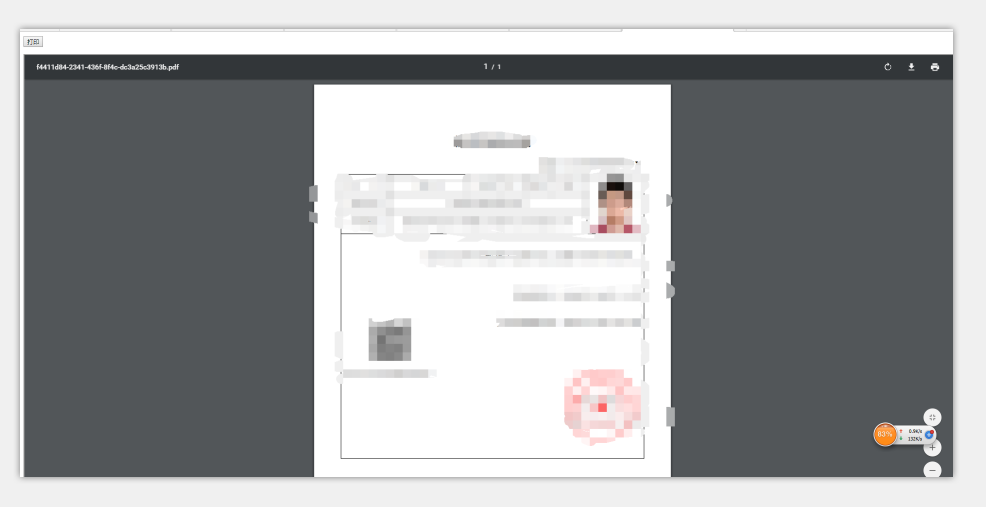
代码部分(jsp)
    预览


    @media print {
        .noprint {
            display: none;
        }
    }


    $(function() {
        var pdfresult=isAcrobatPluginInstall();
        if(!pdfresult){
            $("#displayPdfIframe").attr("src","");
            // 禁用打印按钮
            $("#printBtn").attr("disabled","disabled");
            // 未安装跳转到下载安装地址
            $.messager.confirm('提示','对不起,您还未安装PDF阅读器软件,为预览PDF文档,需安装该软件,请确认是否安装!',function(result){
                if(result) {
                    // PDF软件离线安装包
                    window.location.href = '${staticPath}/static/ex/ +ternalApplication/AcroRdrDC.exe';
                } else {
                    window.opener=null;
                    window.open('','_self');
                    window.close();
                }
            });
            return;
        }

        var src = $("#displayPdfIframe").attr("src");
        if (!src) {
            $.messager.alert('提示', "生成PDF文件失败!", 'warning');
        }
    });
    function doPrint() {

        var src = $("#displayPdfIframe").attr("src");
        if (!src) {//当src为空,即第一次加载时才赋值,如果是需要动态生成的话,那么条件要稍稍变化一下
          //  $.messager.alert('提示', "获取PDF文件失败!", 'warning');
        } else {
            var browserType = BrowserType();
            if (("Chrome" == browserType)) {
                $("#displayPdfIframe")[0].contentWindow.print();
            }
            if (("FF" == browserType)) {

                $("#displayPdfIframe")[0].contentWindow.print();
            }
            if ("IE8910" == browserType) {
                printPage();
            }
            if ("IE11" == browserType) {
                printPage();
            }
        }
    }
    /*使用IE浏览器打印*/
    function printPage() {
        beforePrint();
        callPrint();
        afterPrint();
    }
    function beforePrint() {
        document.getElementById("printBtn").style.display = "none";
    }
    function afterPrint() {
        document.getElementById("printBtn").style.display = "inline-block";
    }
    function callPrint() {
        var srcBody = '', startPrintMark = '', endPrintMark = '', printContent = '';
        srcBody = document.frames["displayPdfIframe"].document.execCommand('print');
        window.location.reload();
    }

    function BrowserType() {
        var userAgent = navigator.userAgent; //取得浏览器的userAgent字符串
        var isFF = userAgent.indexOf("Firefox") > -1; //判断是否Firefox浏览器
        var isChrome = userAgent.indexOf("Chrome") > -1    && userAgent.indexOf("Safari") > -1; //判断Chrome浏览器
        if (window.navigator.userAgent.indexOf("MSIE") >= 1) {
            return "IE8910";
        }
        if ((!!window.ActiveXObject) || ("ActiveXObject" in window)) {
            return "IE11";
        }
        if (isFF) {
            return "FF";
        }
        if (isChrome) {
            return "Chrome";
        }
    }

    function isAcrobatPluginInstall() {
        //下面代码都是处理IE浏览器的情况
        if((window.ActiveXObject)||(navigator.userAgent.indexOf("Trident") > -1)) {
            for(x = 2; x
如果是采用的是流返回,示例代码:
 @RequestMapping("/pdfurl")
    public void getPdf(HttpServletRequest request, HttpServletResponse response, HttpSession session) {

        response.setContentType("application/pdf");
        FileInputStream in;
        OutputStream out;
        try {
        //或者这里可以将base64转化为流,最终得到文件流就行了。
            in = new FileInputStream(new File(这里写本地pdf的路径));
            out = response.getOutputStream();
            byte[] b = new byte[1024];
            while ((in.read(b)) != -1) {
                out.write(b);
            }
            out.flush();
            in.close();
            out.close();
        } catch (IOException e) {
            // TODO Auto-generated catch block
            e.printStackTrace();
        }
    }



评论 (0)